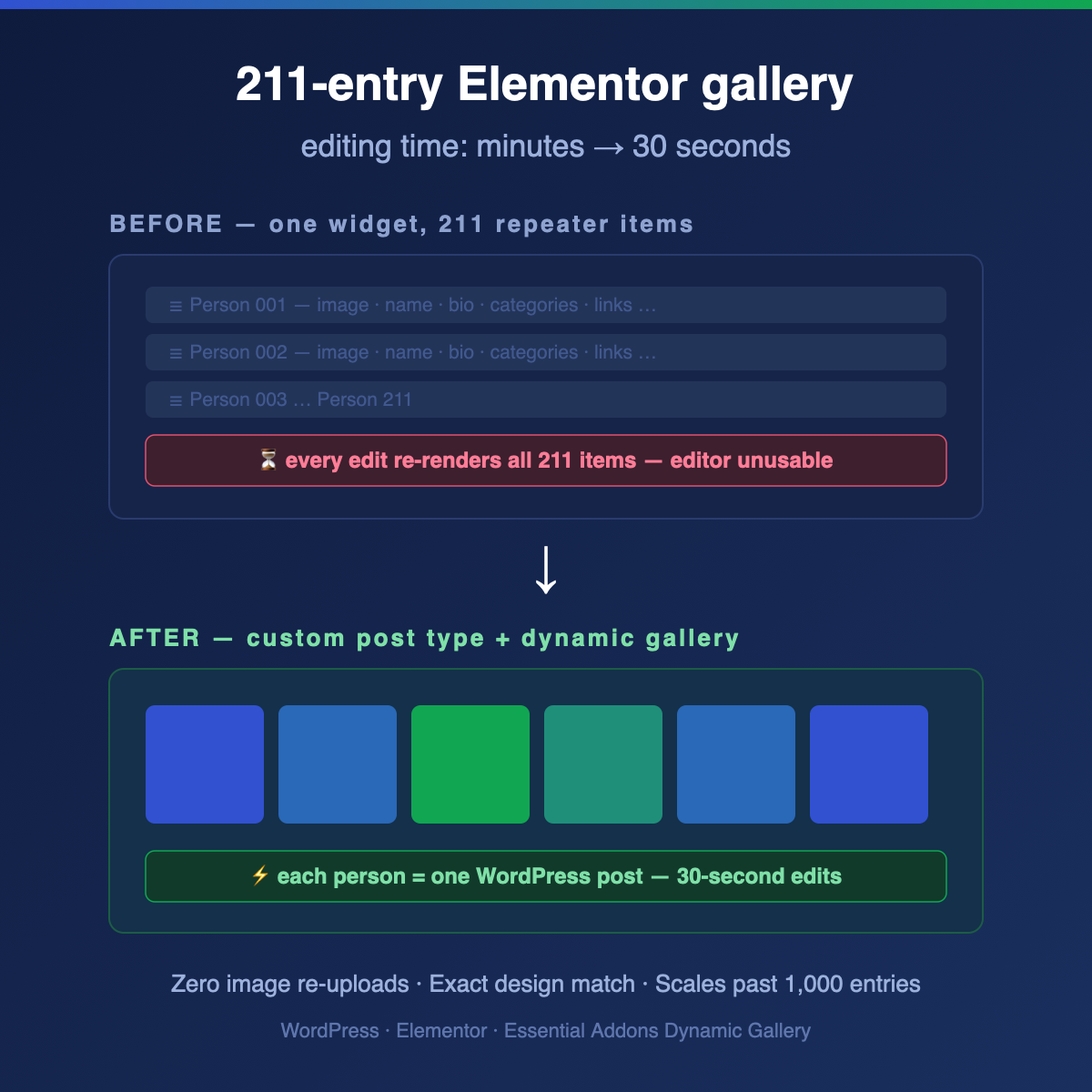
A real support story: turning an unmanageable Filterable Gallery into a custom post type powered Dynamic Gallery — with zero downtime and zero image re-uploads.
The Problem
A client running a large community gallery — 211 people, each with a photo, location, roles, and a website link — told us that editing it had become nearly impossible. Adding a single new person meant waiting several minutes for the Elementor editor to load.
Their question was one we hear a lot:
“Should I just assume there is no way to change that? I don’t want to split it into multiple galleries, because I want the filter bar to pull from them all.”
Why It Was Slow (and Why No Setting Fixes It)
The gallery was built with a Filterable Gallery widget holding all 211 entries as repeater items. Elementor repeaters have a structural limitation: the editor renders a full set of controls for every item (about 20 controls each in this case), and every edit re-renders the entire widget — all 211 items, on every change.
211 items × 20 controls = an editor that chokes by design. No toggle, cache plugin, or bigger server fixes this, because the data lives in the wrong place: inside page-builder settings instead of WordPress content.
The Fix: Move the Data Where It Belongs
Essential Addons Pro ships a second gallery widget that most people overlook: the Dynamic Filterable Gallery. Same look, same single filter bar — but it pulls its items from posts instead of repeater rows.
So the new architecture became:
• A “People” custom post type — every person is a regular WordPress post: name = title, location = excerpt, photo = featured image, website = a custom field
• A “Roles” taxonomy (Puppeteer, Director, Designer/Builder…) — the filter bar builds itself from these terms automatically
• One Dynamic Filterable Gallery widget on the page, querying the post type
Step 1 — Every Person Becomes a Post
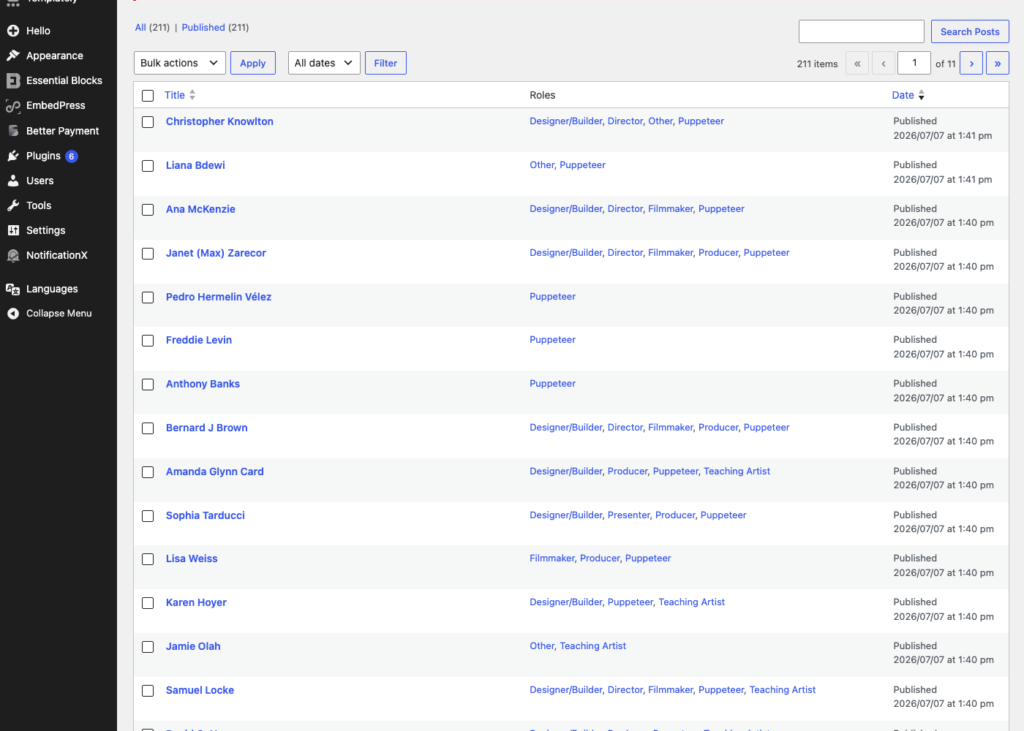
After the migration, the whole gallery is managed from a familiar screen: a “People” list in the WordPress dashboard, with each person’s roles shown right in the list.
Step 2 — Adding a Person Now Takes 30 Seconds
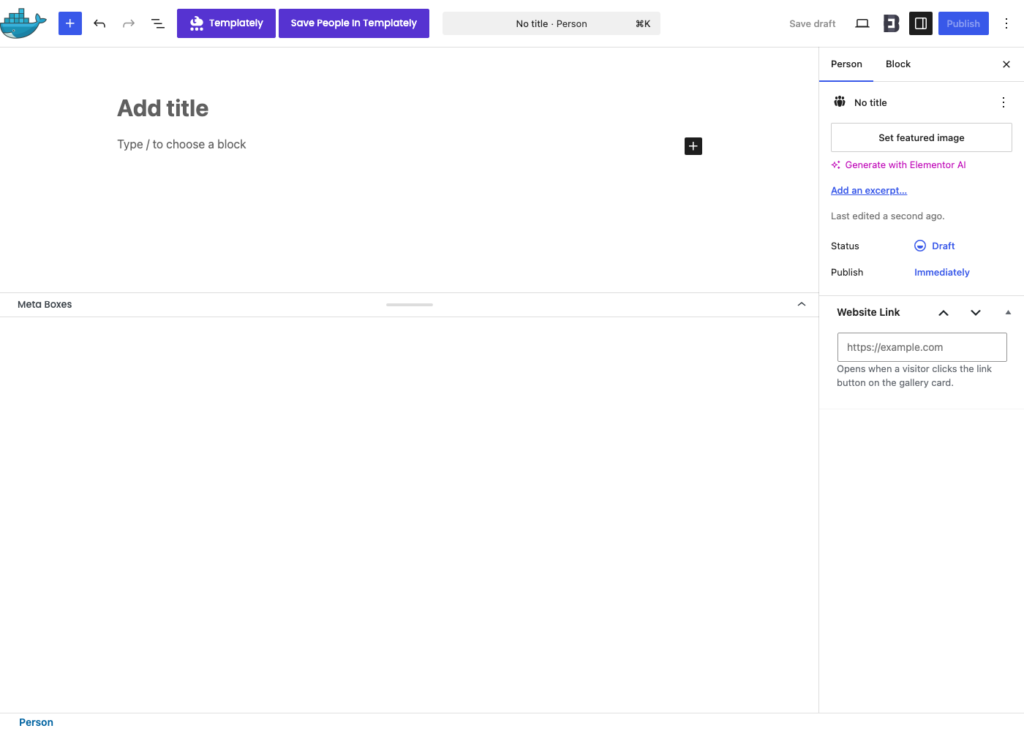
Adding someone new is a standard WordPress edit screen: type the name, set the photo as the featured image, put the location in the excerpt, tick the roles, and paste their website into the Website Link box we added. Publish — done. No Elementor editor, no waiting.
Step 3 — The Gallery Rebuilds Itself
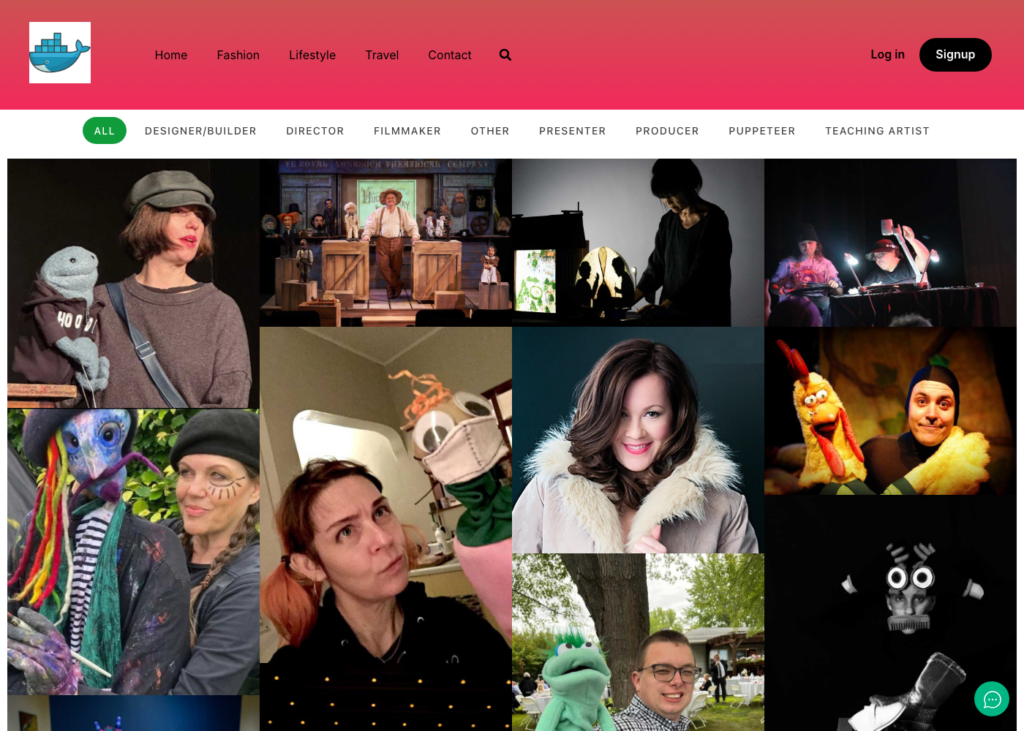
The Dynamic Filterable Gallery widget queries the People post type and renders the same design as before — we extracted the original widget’s generated CSS and ported every value (filter pill colors, hover overlay, typography, 4-column masonry layout), so visitors can’t tell the difference. Except for one thing: it’s better.
The Migration: 211 Entries, Zero Manual Work
Nobody wants to re-enter 211 people by hand. Our import script:
1. Parsed the existing gallery page server-side with PHP’s DOMDocument — names, locations, roles (recovered from the item CSS classes), photo URLs and website links, in the exact original order
2. Reused the images already sitting in the Media Library via attachment_url_to_postid() — zero re-uploads, zero duplicates
3. Normalized the role labels — six people had inconsistent category strings (designer, builder, -puppeteer…) and were invisible to some filters on the old page; they now filter correctly
4. Preserved the display order in menu_order
Everything was built and verified on a local Docker replica first. The client’s live page stayed untouched until the new page was approved.
The Gotchas (the Part Worth Bookmarking)
Real projects are never clean. Four traps we hit along the way:
1. Older Elementor cores render container elements as… nothing.
Our programmatically created page used Elementor’s modern container element. The production site ran an older Elementor core — which silently outputs an empty page for element types it doesn’t know. Rewriting the page data as classic section > column > widget fixed it. If you generate _elementor_data in code, always match the target site’s Elementor version.
2. get_page_by_path() also matches attachments.
Our duplicate check skipped three people because their photo files had slugs identical to their names. Use a get_posts() query scoped to your post type instead.
3. Underscore-prefixed meta is invisible in the editor.
We stored each person’s website in a _people_website field — and then remembered that WordPress hides protected (underscore-prefixed) meta from the Custom Fields panel entirely. A small add_meta_box() gave editors a proper “Website Link” input.
4. “Random order” and page caching don’t mix.
The client wanted the gallery shuffled on every visit so nobody is prioritized. orderby: rand looks like the answer, but full-page caching freezes one “random” order for every visitor — and a persistent object cache can pin the ORDER BY RAND() result too. The reliable fix is a tiny client-side Fisher–Yates shuffle that reorders the gallery items in the browser before the layout script initializes — genuinely random on every refresh, cache or no cache:
document.querySelectorAll('.eael-filter-gallery-container').forEach(function (c) {
    var items = Array.prototype.filter.call(c.children, function (el) {
        return el.classList.contains('dynamic-gallery-item');
    });
    for (var i = items.length - 1; i > 0; i--) {
        var j = Math.floor(Math.random() * (i + 1));
        var tmp = items[i]; items[i] = items[j]; items[j] = tmp;
    }
    items.forEach(function (el) { c.appendChild(el); });
});
(Load it in the footer — in the header it runs before the gallery HTML exists and silently does nothing. Ask us how we know.)
The Result
| Before | After | |
| Adding a person | Minutes of editor loading | ~30 seconds in the dashboard |
| Data lives in | One widget’s repeater settings | Regular WordPress posts |
| Filter bar | Manually managed per item | Auto-built from the taxonomy |
| Scaling | Already failing at 211 | Comfortable at 1,000+ |
| Images | — | Reused, zero re-uploads |
| Order | Fixed | Shuffled on every visit |
The whole engagement — diagnosis, local build, verified live deployment, and follow-up tweaks, took about three hours.
The takeaway: when a page-builder widget becomes painful at scale, the answer usually isn’t a bigger server or a settings hunt. It’s moving the data out of the builder and into WordPress content, where it belongs.
Hitting the same wall with a large Elementor gallery? Essential Addons Pro’s Dynamic Filterable Gallery plus a custom post type is the pattern, and I am happy to help you get there.