Why one image printed perfectly and the other never showed up — in the same PDF.
A client testing a new “Print / Save as PDF” feature sent us a puzzling bug report:
“The footer works as expected, but the logo will not be visible on the print version. The site has a company logo. Is there another place to activate it?”
Same feature. Same settings screen. Two elements — a footer and a logo — configured side by side. One printed, one didn’t. No errors anywhere.
The forensic clue was inside the PDF
Instead of guessing, I opened the PDF he attached and scanned its internal structure. PDFs list every embedded image as an XObject, so you can count them without any special tooling:
/Producer (Microsoft: Print To PDF)
/Subtype /Image → found 1
/Width 936 /Height 329
One image — a wide screenshot from the article body. The logo simply wasn’t in the file. So the logo either never rendered, or rendered empty.
That distinction matters, and it pointed straight at a suspect.
The bug: print() doesn’t wait for anything
Here’s the (simplified) print flow the feature used — a very common pattern you’ll find in hundreds of plugins and tutorials:
var winPrint = window.open(“”, “”, “…”);
winPrint.document.body.innerHTML = logoHeader + title + content + footer;
winPrint.document.close();
winPrint.focus();
winPrint.print(); // ← fires the same millisecond
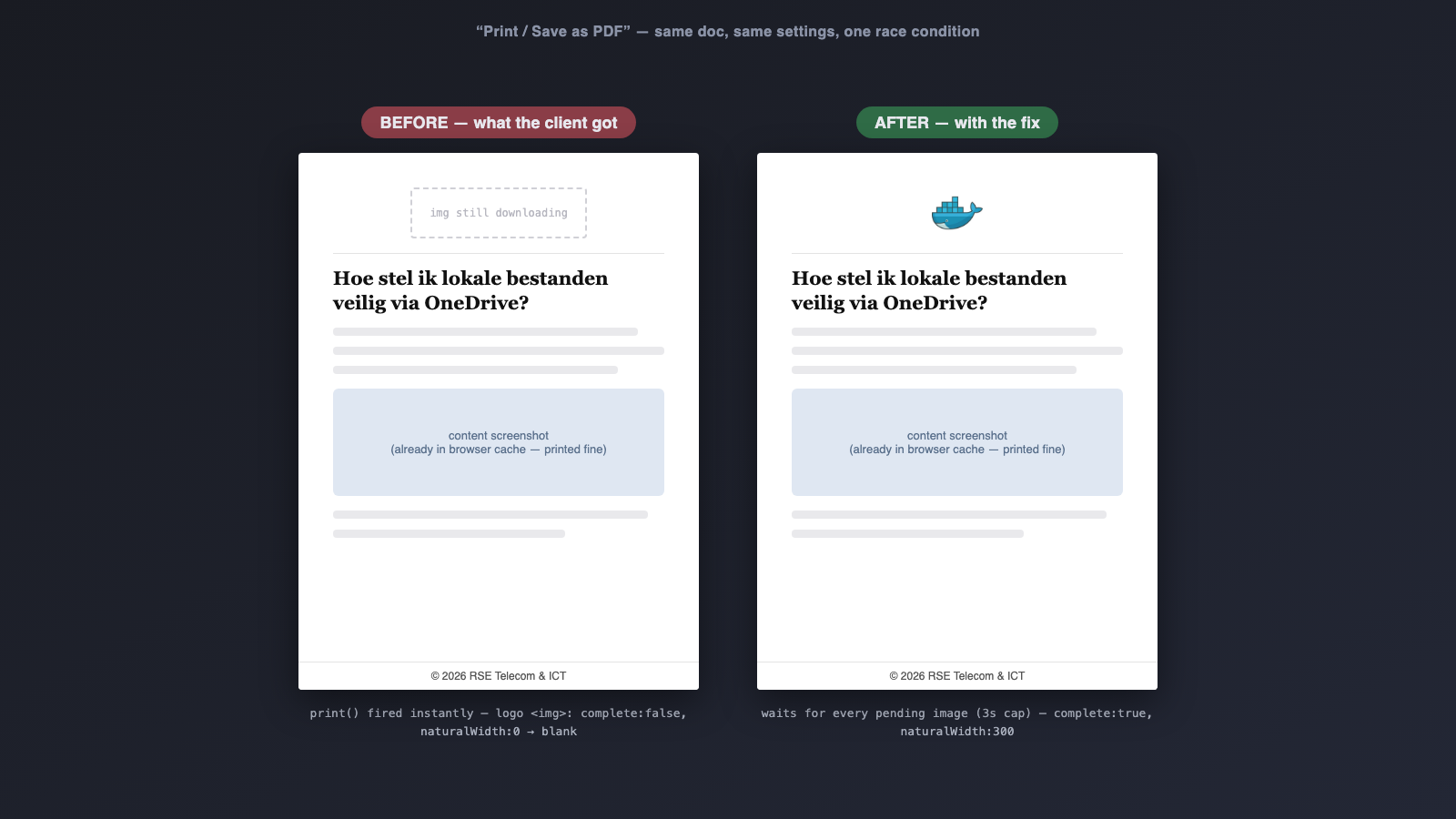
window.print() snapshots the document synchronously, as-is, right now. It does not wait for images. Any still downloading at that instant prints as blank space.
That explains the footer: it’s plain text, renders instantly, always wins.
But why did the content screenshot print while the logo didn’t? Both are images. Both load over the network.
The browser cache is the missing piece. The content screenshot was visible on the article page the client was reading — so by the time he clicked Print, it was already in cache. Inside the print window, img.complete === true immediately. It always wins the race.
The logo was different in one subtle way: the print template requested the medium (300px) size variant of the logo — a file that no page on the site ever displays. It’s never cached. Every single print is a cold download. It always loses the race.
That’s what made this bug so confusing: it looked deterministic (“footer works, logo never does”) while actually being a race condition — one racer just happened to start with a permanent head start.
Proving it
I reproduced it in a sandbox by hooking the print call and inspecting the image the moment print() fired, with a cache-busted logo URL to force the client’s cold-cache scenario:
w.print = function () {
const img = w.document.querySelector(‘.print-header img’);
console.log(img.complete, img.naturalWidth); // false, 0 ← blank in PDF
};
complete: false, naturalWidth: 0. There’s the blank logo.
The fix: wait for the images you just injected
Collect every image in the print window that hasn’t finished loading, wait for load/error on each, and only then open the print dialog — with a timeout so one broken image can never block printing forever:
var pendingImages = Array.prototype.filter
.call(winPrint.document.images, function (img) {
return !img.complete;
})
.map(function (img) {
return new Promise(function (resolve) {
img.onload = img.onerror = resolve;
});
});var openPrintDialog = function () {
winPrint.focus();
winPrint.print();
};if (pendingImages.length) {
Promise.race([
Promise.all(pendingImages),
new Promise(function (r) { setTimeout(r, 3000); })
]).then(openPrintDialog);
} else {
openPrintDialog();
}
After the fix, same cold-cache test: complete: true, naturalWidth: 300. Logo prints.
Takeaways
- window.print() is a synchronous snapshot. If you inject markup into a print window, you are responsible for waiting until it’s actually renderable.
- The browser cache can disguise a race condition as a deterministic bug. “Image A always works, image B never does” doesn’t mean the code treats them differently — it may just mean A is always cached.
- Watch out for asset variants. Requesting a thumbnail size that no page ever displays guarantees a cold download at the worst possible moment.
- Test with a cold cache. DevTools “Disable cache”, or cache-bust the URL. A feature that only works warm is a feature that fails for exactly the people who just installed it.
- When a client’s PDF is all the evidence you have, read the PDF itself. Image counts, dimensions, and the /Producer line (“Microsoft: Print To PDF” = they printed from Edge) are free forensic data.
The bug was found and fixed in BetterDocs’ print template feature. The client’s “is there another place to activate it?” — no. It was never his configuration. It was 300 kilobytes losing a race against 0 milliseconds.